Jewish Federation of San Diego
Mobile Classroom Exhibit System
HOME
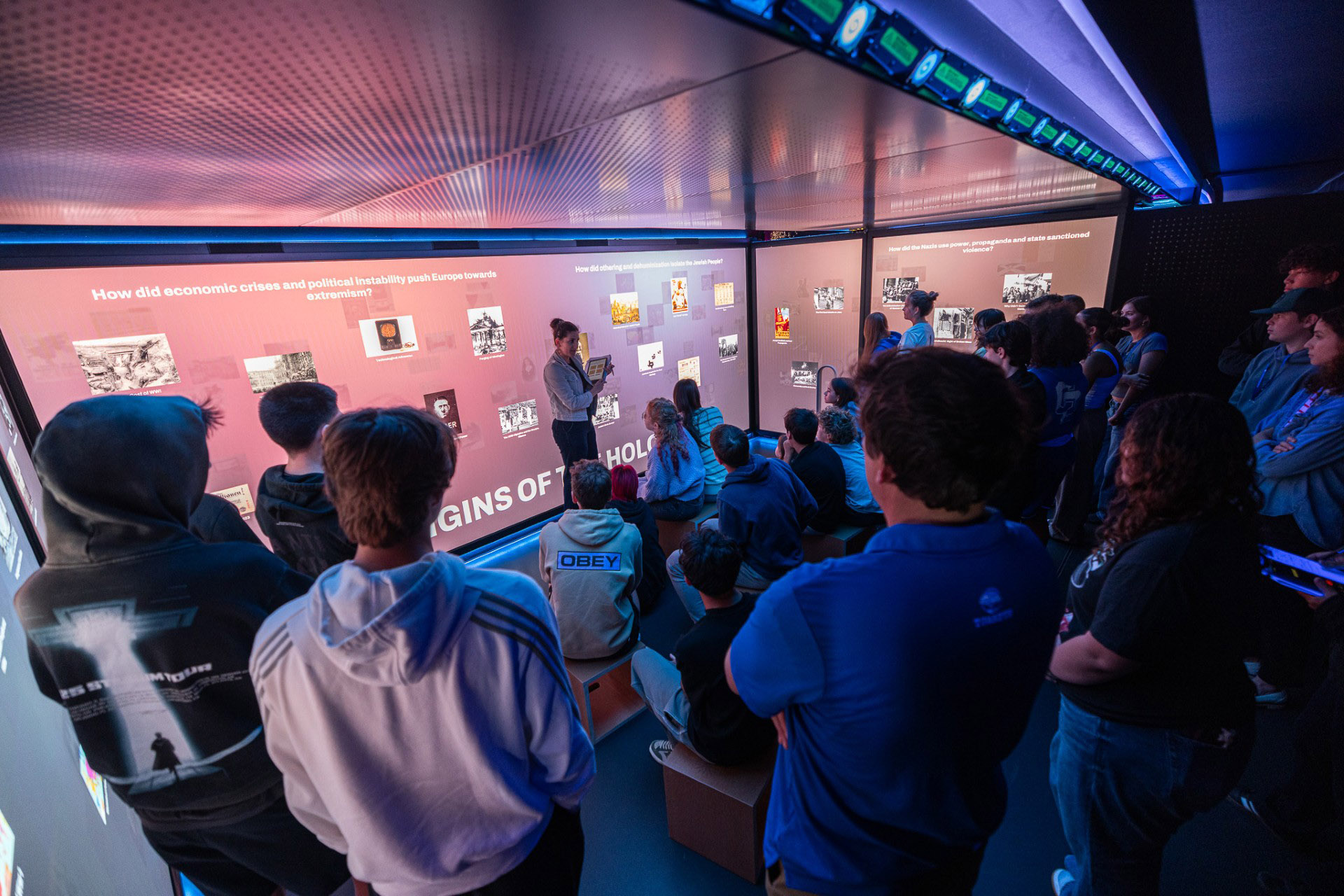
ROLETechnical Lead / Sole Engineer / UX + Systems Architecture
DATEJuly 2025 - May 2026
Executive Summary
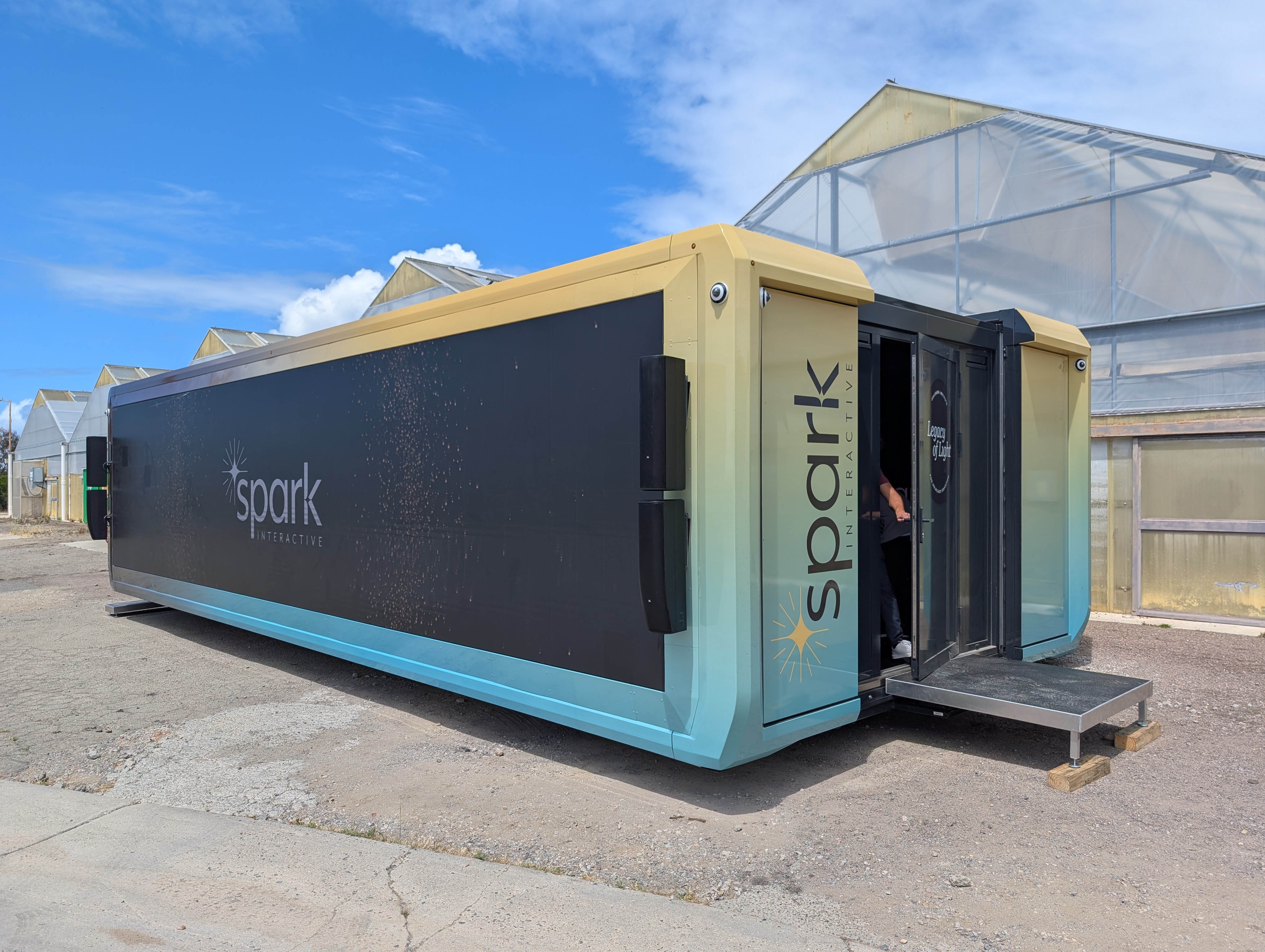
Unified Field was hired to deliver a traveling, bus-based classroom experience designed to teach tolerance through Holocaust education. The system required a fully integrated software ecosystem spanning:
The end result was a multi-platform distributed system designed to operate offline, preserve historical student work, and support long-term content updates without breaking prior visits.
- a public-facing website + CMS
- educator scheduling tools
- post-visit content access
- a local on-bus server for offline operation
- docent controls
- dozens of student tablets
- multiple synchronized multi-PC display environments (main room, entry room, outdoor display)
- media syncing and video encoding pipelines
The end result was a multi-platform distributed system designed to operate offline, preserve historical student work, and support long-term content updates without breaking prior visits.
System Goals / Design Requirements
Operational Requirements
- The bus must operate reliably offline
- Content updates must be publishable centrally and synced to the bus
- School groups must be scheduled in advance
- Docents must be able to run the experience with minimal technical training
- Student work must be captured and accessible post-visit
- The system must support multiple physical spaces and device types concurrently
- Students interact individually on tablets
- Students contribute responses that become part of a curated group “presentation” on the wall
- The wall experience must support guided docent discussion, not long automated playback
- The experience must fit into typical class-period constraints
Architectural Overview (Diagram Layout)
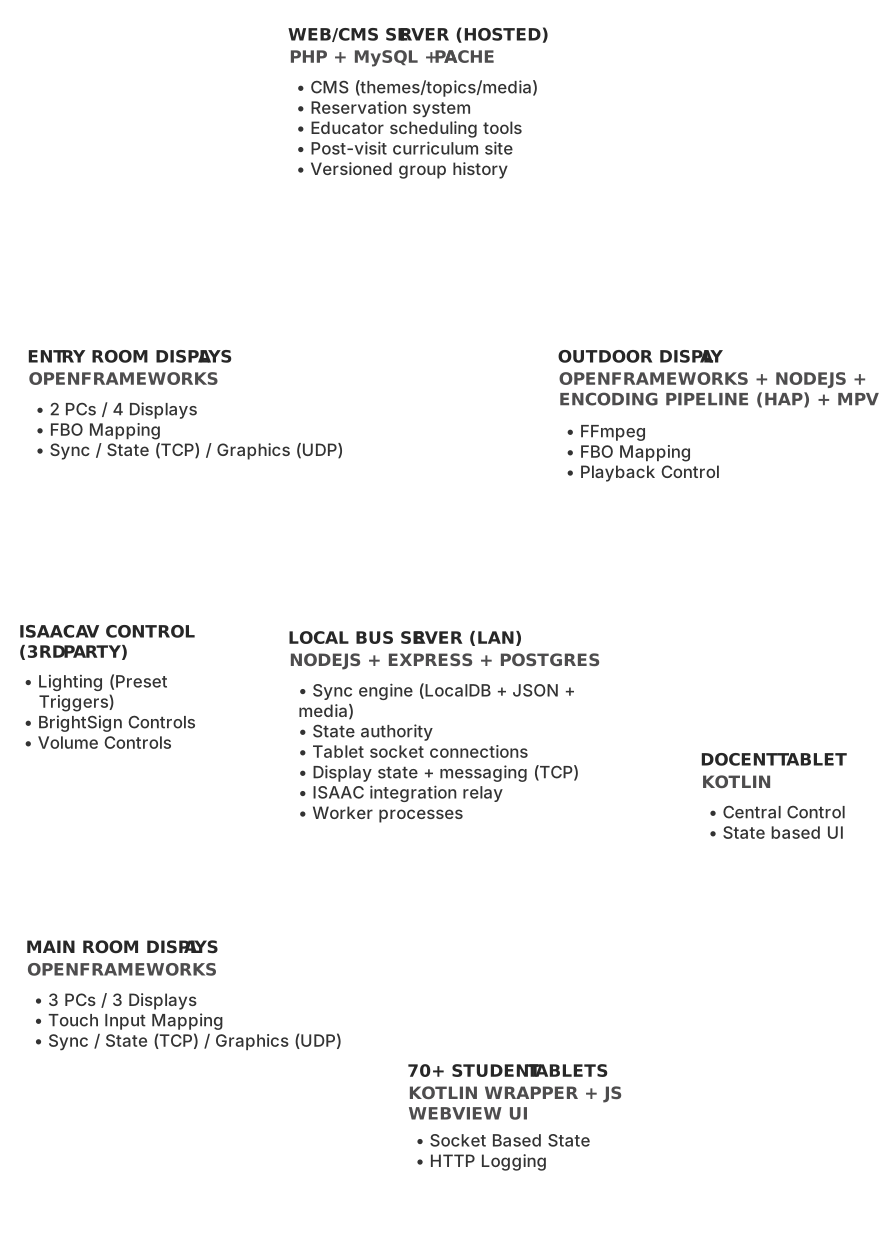
Core Subsystems
1. Public Web Server (CMS + Scheduling Platform + Post-visit Site)
Stack: PHP, MySQL, Apache
This server is the “authoritative content source” and is also the platform used by schools to schedule and manage their visit.
Primary Responsibilities
Key Engineering Requirement
Version-safe content history.
A school group must be able to view their post-visit materials exactly as they experienced them, even if the CMS content later changes.
This required the system to preserve historical content state tied to each group/session.
This server is the “authoritative content source” and is also the platform used by schools to schedule and manage their visit.
Primary Responsibilities
- Content authoring and publishing (themes/subthemes/topics/media)
- Reservation system for bus scheduling
- School representative portal:
- bell schedule definition
- educator roster management
- assigning groups to time blocks
- Educator portal:
- session schedule view
- content preview
- post-visit materials access
- Post-visit curriculum site for students/educators
- Versioned preservation of past group content
Key Engineering Requirement
Version-safe content history.
A school group must be able to view their post-visit materials exactly as they experienced them, even if the CMS content later changes.
This required the system to preserve historical content state tied to each group/session.
2. Local Server (Bus LAN State Authority + Sync Engine)
Stack: Node.js, ExpressJS, PostgreSQL, child-process workers
The local server is the heart of the bus system. It acts as:
Key Engineering Requirement
Offline-first distributed reliability.
The bus must run even if internet is unavailable or unstable. Syncing is a deliberate workflow, not a runtime dependency.
The local server is the heart of the bus system. It acts as:
- the offline operational authority
- the sync target for published CMS content
- the real-time state coordinator for all tablets and display systems
- Pull content snapshots from the web server
- Download and manage media assets
- Maintain local database representation of CMS content
- Coordinate session state between docent tablet, student tablets, and displays
- Relay messages between subsystems
- Provide a unified API for all client devices
- Fetch JSON snapshot → validate → store version history
- Extract media references
- Insert/update CMS records locally
- Download media with progress reporting
- Mark sync success / rollback on failure
Key Engineering Requirement
Offline-first distributed reliability.
The bus must run even if internet is unavailable or unstable. Syncing is a deliberate workflow, not a runtime dependency.
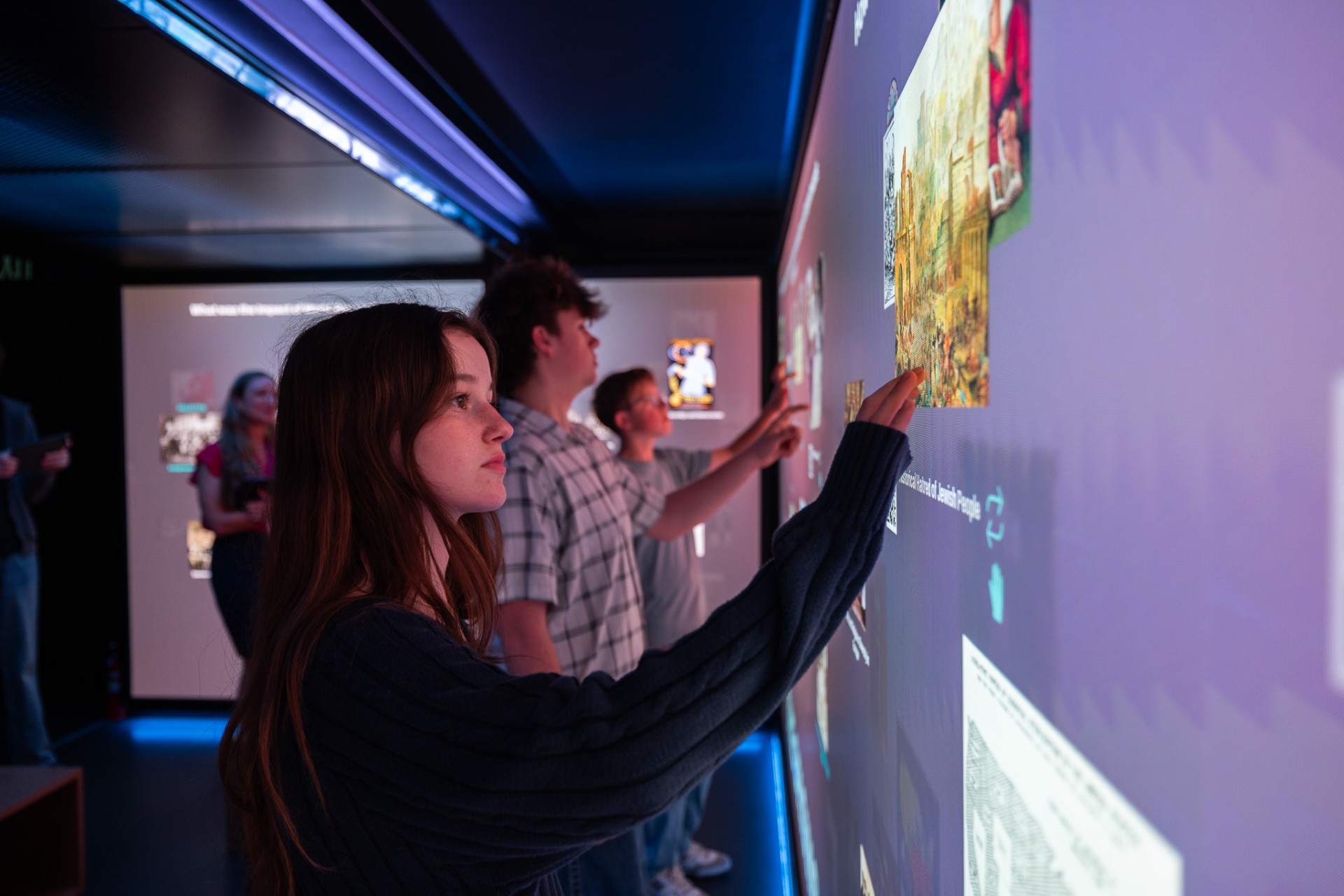
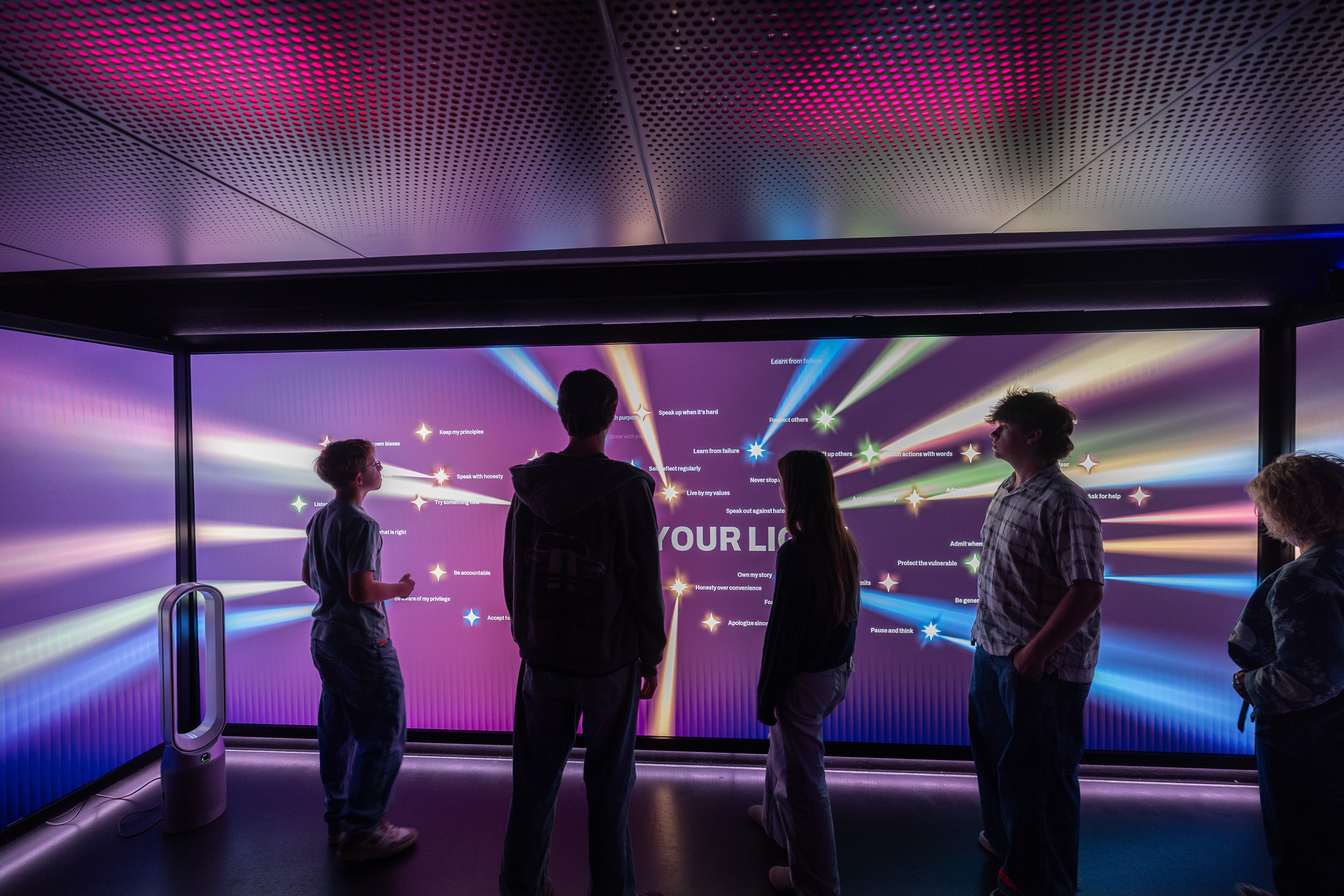
3. Main Room Display System (3 PCs / Multi-Screen Touch Wall)
Stack: openFrameworks
Physical Layout
Touch Input
Touch mapping was customized due to non-standard active display regions and physical alignment constraints.
Physical Layout
- Center display: 2 × 3840×2160 (dual wide, mapped to active area)
- Left and right displays: 3840×2160 each with custom active mapping
- Multi-display content behaves as one continuous canvas
- Center PC acts as the “display coordinator”
- Side PCs receive synchronized rendering instructions via:
- TCP (state synchronization)
- UDP (real-time animation synchronization)
- background animation state
- shader parameters
- shared image/text transforms
Touch Input
Touch mapping was customized due to non-standard active display regions and physical alignment constraints.
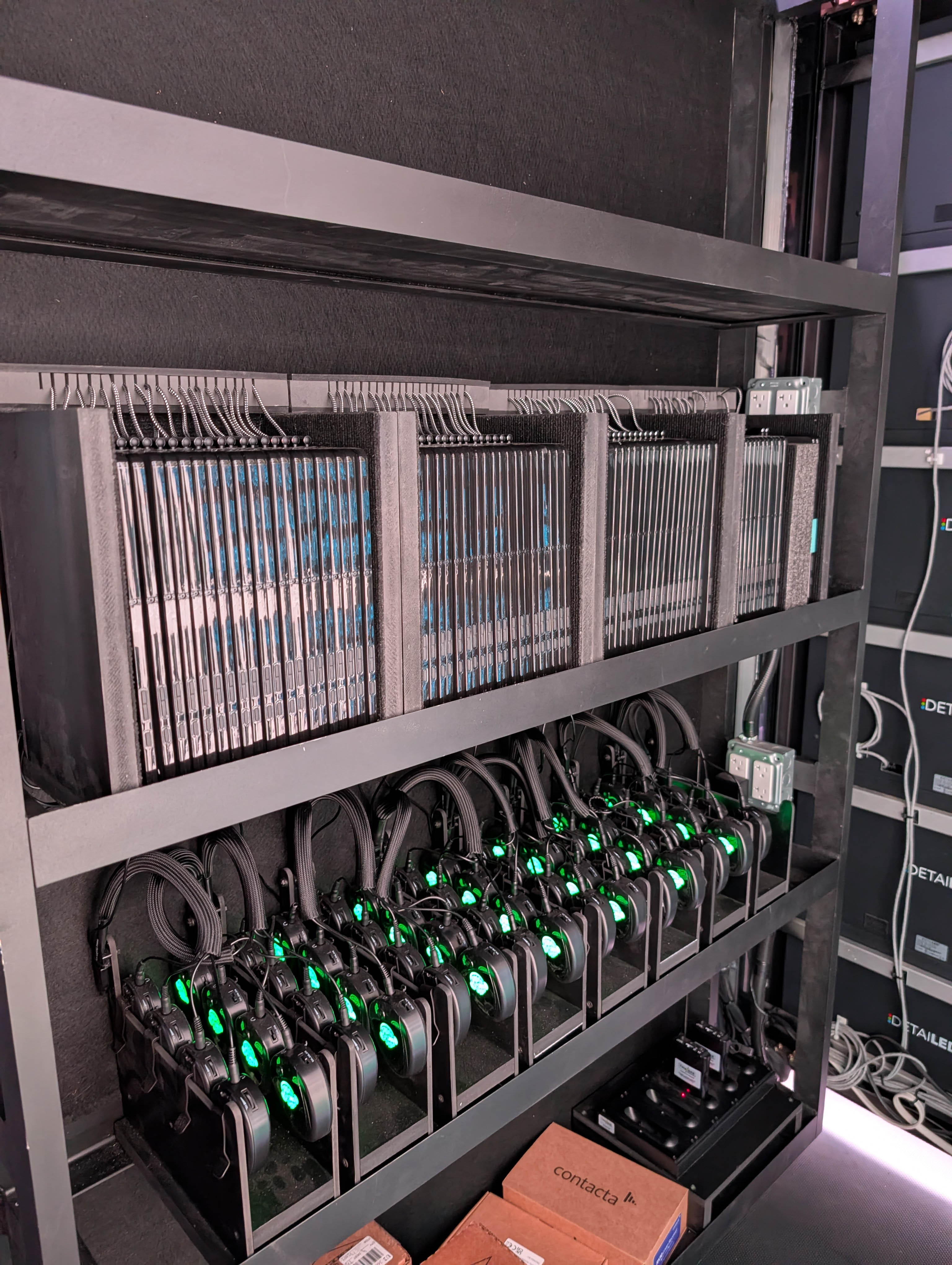
4. Student Tablet Platform (70+ Android Devices)
Stack: Kotlin wrapper + JavaScript UI + WebView rendering
The student tablets were designed to behave like kiosk devices with a controlled runtime environment.
Key Features
Key Engineering Requirement
Mass device stability.
The system needed to handle dozens of tablets simultaneously without manual babysitting.
The student tablets were designed to behave like kiosk devices with a controlled runtime environment.
Key Features
- Local content caching (downloaded from local server)
- QR Code/Camera Scanner
- WebView UI driven primarily by JavaScript
- Kotlin layer handles:
- server configuration tools
- device ownership / kiosk control
- screen reader (English/Spanish)
- app updates and content refresh
- network connectivity/communication and recovery behavior
- Persistent socket connection to the local server
- State-driven UI transitions (tablets react to global activity state)
Key Engineering Requirement
Mass device stability.
The system needed to handle dozens of tablets simultaneously without manual babysitting.
5. Docent Tablet (Central Operator UI)
Stack: Kotlin (state-driven UI)
The docent tablet serves as the “control panel” for the entire bus experience.
Primary Responsibilities
Docent UI needed to remain simple enough for educators to operate confidently without technical staff.
The docent tablet serves as the “control panel” for the entire bus experience.
Primary Responsibilities
- Daily schedule view (based on web reservation data)
- Start/stop activities for assigned groups
- Trigger experience state changes (intro → activity → discussion → outro)
- Control entry display content playback
- Control outdoor display content playback
- Control audio/volume settings
- Provide staff-level configuration tools
Docent UI needed to remain simple enough for educators to operate confidently without technical staff.
6. Entry Space Display System (2 PCs / 4 Displays)
Stack: openFrameworks
Implementation Notes
Particle systems and other animations were synchronized to ensure visual continuity across screens.
Implementation Notes
- One PC drove the primary display
- Second PC drove three additional displays via a single mapped output
- Frame buffers (FBOs) were used to draw content and map to multiple physical regions
- background animation state
- shader parameters
- frame counters / seeds
- shared image/text transforms
Particle systems and other animations were synchronized to ensure visual continuity across screens.
7. Outdoor Display System (Custom Resolution + Video Playback)
Stack: openFrameworks + MPV + Node-based utility tools
Physical Layout
Physical Layout
- PC output: 3840×2160
- Actual mapped display region: 4220×864 (custom LED format)
- openFrameworks-driven motion graphics playback
- MPV integration for full-screen video overlay controlled by the oF application
- Media syncing and encoding pipeline to support correct playback format and resolution mapping
- Videos intended for oF driven motion graphics downloaded during sync and encoded to HAP format for performance and reliability
- Videos intended for MPV playback (full movies) uploaded via specialized web-panel and encoded with proper screen mapping
8. ISAAC Integration (Lighting / Audio / Presets)
The local server also integrated with the ISAAC control system to coordinate:
- lighting presets
- speaker controls
- synchronized “mode transitions” during the experience
Main Experience Content Model (High Level)
The content pipeline was structured around hierarchical CMS concepts:
Theme
└─ Subtheme (4 per experience)
└─ Topic
├─ Summary
├─ Long-form content
├─ Image gallery + captions
└─ Reflection prompts
This model was shared across:
Theme
└─ Subtheme (4 per experience)
└─ Topic
├─ Summary
├─ Long-form content
├─ Image gallery + captions
└─ Reflection prompts
This model was shared across:
- student tablets
- docent controls
- display systems
- post-visit web experience
Experience Redesign (Simplification Strategy)
The initial concept was feature-heavy and required students to build manual slideshows, manage timelines, and assemble multiple presentation artifacts. In practice, this would have been difficult to complete within class period constraints and would have required significant docent intervention.
I led a redesign effort that preserved the educational intent while making the experience more intuitive, faster to complete, and more discussion-driven.
Key Redesign Decisions
I led a redesign effort that preserved the educational intent while making the experience more intuitive, faster to complete, and more discussion-driven.
Key Redesign Decisions
- Educators no longer manually choose which 4 subthemes are used (simplifies scheduling and content curation)
- Students “collect” only one topic, reducing friction and time pressure
- Removed manual slideshow construction workflows
- Replaced multi-step authoring UI with a structured content exploration flow:
- curated scrollable topic content
- embedded image interactions
- short reflective responses captured from each student
- Shifted group presentation from “student-made slides” to a docent-guided discussion environment driven by:
- aggregated student responses
- curated topic expansions
- visualized interaction data
- student contribution
- curated educational structure
- real-time docent facilitation
Outdoor Media + Publishing Pipeline
Templates
To avoid operational complexity and allow rapid updates, I built CMS-driven template formats for outdoor playback, including:
To avoid operational complexity and allow rapid updates, I built CMS-driven template formats for outdoor playback, including:
- video playback template
- person highlight template
- organization highlight template
- upcoming event template
- historical event template
- reflection template (using student submissions)
Reliability / Operational Considerations
This project required a design philosophy focused on stability and recovery:
Key Strategies
Key Strategies
- Offline-first operation with explicit sync workflow
- Local caching of all media and JSON content
- Versioned content snapshots to prevent broken post-visit experiences
- Clear separation of:
- cloud CMS system
- local runtime system
- Worker processes for tablet REST requests (lookup + data capture)
- Automatic startup sync utilities for display PCs
Outcome / Deliverables
I delivered a complete integrated exhibit system including:
Web-based
Web-based
- CMS and publishing workflow
- reservation system and school scheduling portal
- educator session tools
- post-visit curriculum website with preserved historical state
- Node.js/Postgres local server
- content + media sync engine
- real-time state coordination across all devices
- Main room display system (3-PC synchronized wall)
- Entry room display system (2 PCs / 4 displays)
- Outdoor display system (custom resolution + MPV playback + HAP encoding)
- 70+ student tablets (Kotlin + WebView-based JS application)
- docent tablet control interface (Kotlin + state-driven UI)
- ISAAC lighting/audio preset integration
- device communication via sockets, TCP/UDP, and state replication
Key Engineering Challenges Solved
1. Multi-Platform System Integration
A single experience required synchronized behavior across:
- web CMS
- local server
- multi-PC displays
- dozens of tablets
- docent control UI
- environmental control systems
2. Offline Operation With Cloud Publishing
The bus needed to run fully offline while still supporting centralized publishing and updates. This required robust sync tooling, local persistence, and version safety.
3. Multi-PC Rendering Synchronization
The main wall required seamless visual continuity across three independent PCs and multiple mismatched active display regions.
4. Device Fleet Management
Supporting 70+ Android tablets required stable kiosk behavior, local caching, update tools, and state-driven UI coordination.
5. Content Version Preservation
Past group visits needed to remain viewable even after content updates. This required a system designed around historical snapshots and stable media references.
Skills Demonstrated
- Distributed system architecture for interactive installations
- Multi-device real-time state synchronization
- Offline-first design and robust content syncing pipelines
- Multi-PC openFrameworks display rendering with synchronization
- Kotlin-based Android kiosk app development
- Web CMS + scheduling systems for real-world operations
- Media management + encoding pipelines (including HAP workflows)
- Designing systems for long-term maintainability and operational simplicity
Tech Stack Summary
Web / CMS: PHP, MySQL, Apache
Local Server: Node.js, ExpressJS, PostgreSQL, worker processes
Displays: openFrameworks, TCP/UDP sync, shaders, FBO mapping
Tablets: Kotlin + WebView + JavaScript UI
Media: HAP encoding, MPV playback integration
Networking: sockets, TCP, UDP
External Systems: ISAAC (lighting/audio control)
Local Server: Node.js, ExpressJS, PostgreSQL, worker processes
Displays: openFrameworks, TCP/UDP sync, shaders, FBO mapping
Tablets: Kotlin + WebView + JavaScript UI
Media: HAP encoding, MPV playback integration
Networking: sockets, TCP, UDP
External Systems: ISAAC (lighting/audio control)